Quick Start
Your first deformation in five steps.
1. Create a new Weight Lattice
Select a mesh in Object Mode, open the sidebar (N), go to the WeightLattice tab and click New Weight Lattice. Blender switches to Weight Paint with a fresh vertex group active.
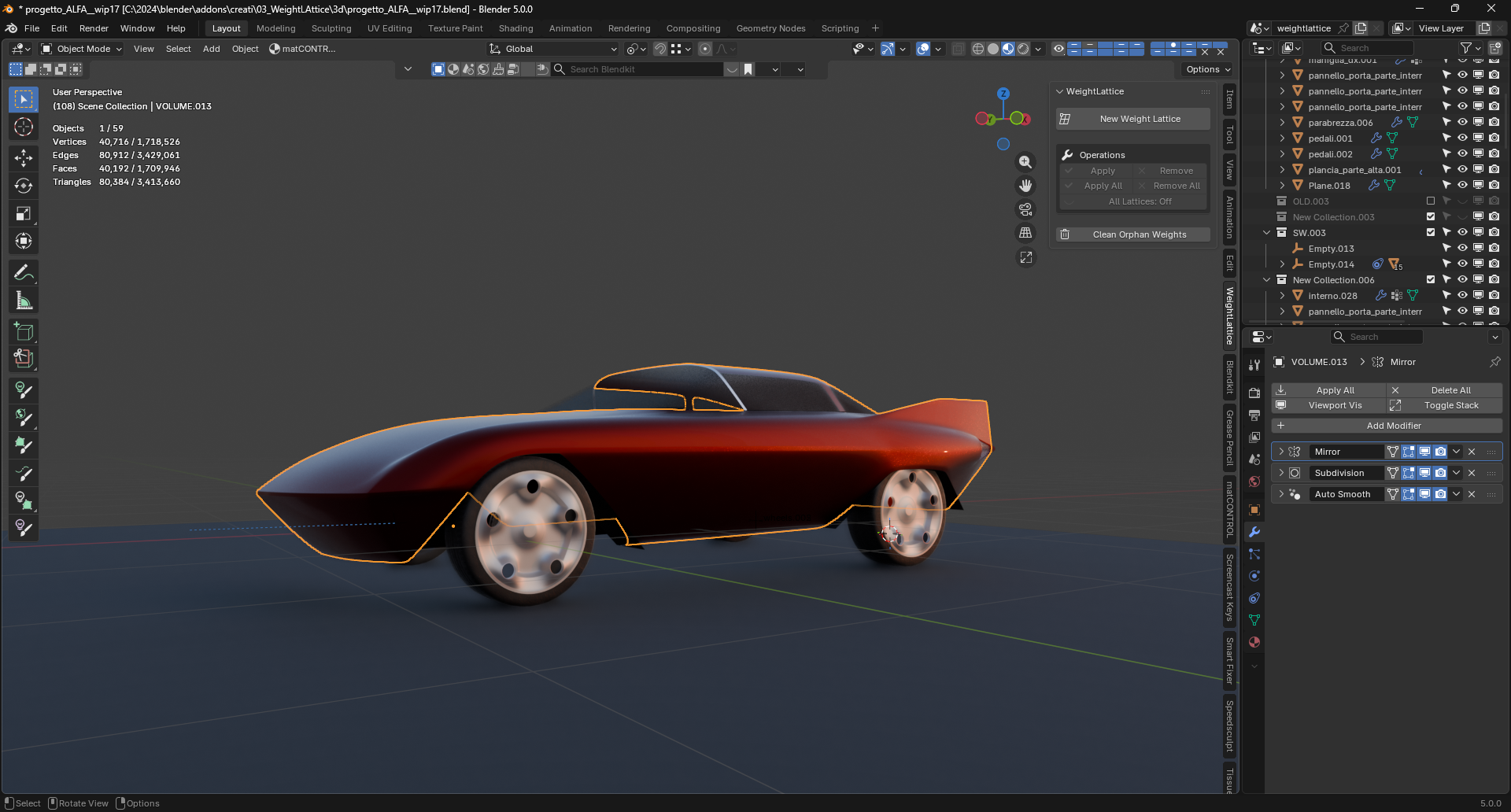
2. Paint the area to deform
Paint the region you want to control. Use B for the draw brush, L / R for linear / radial gradients, Ctrl+Scroll to adjust the brush weight.
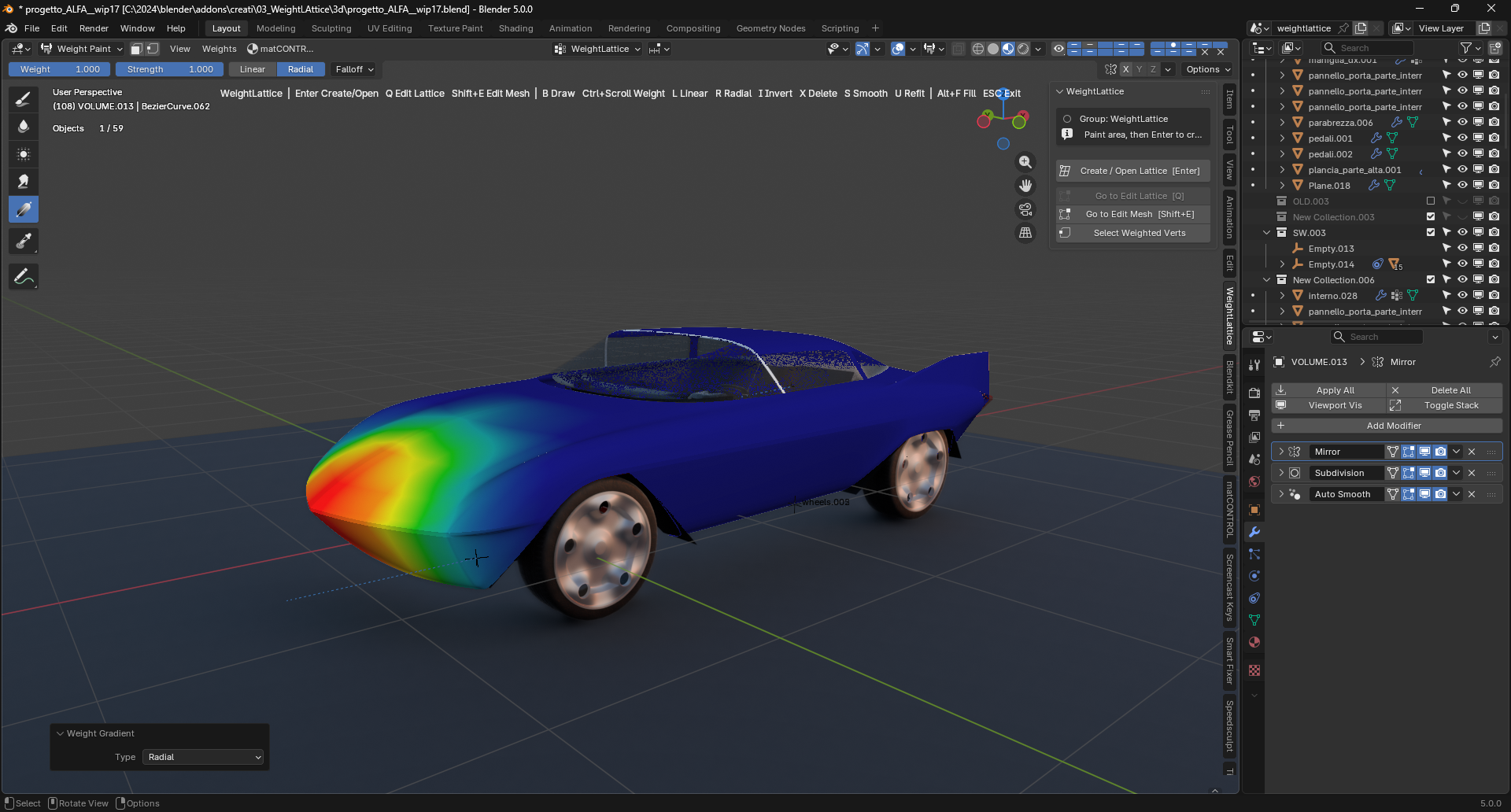
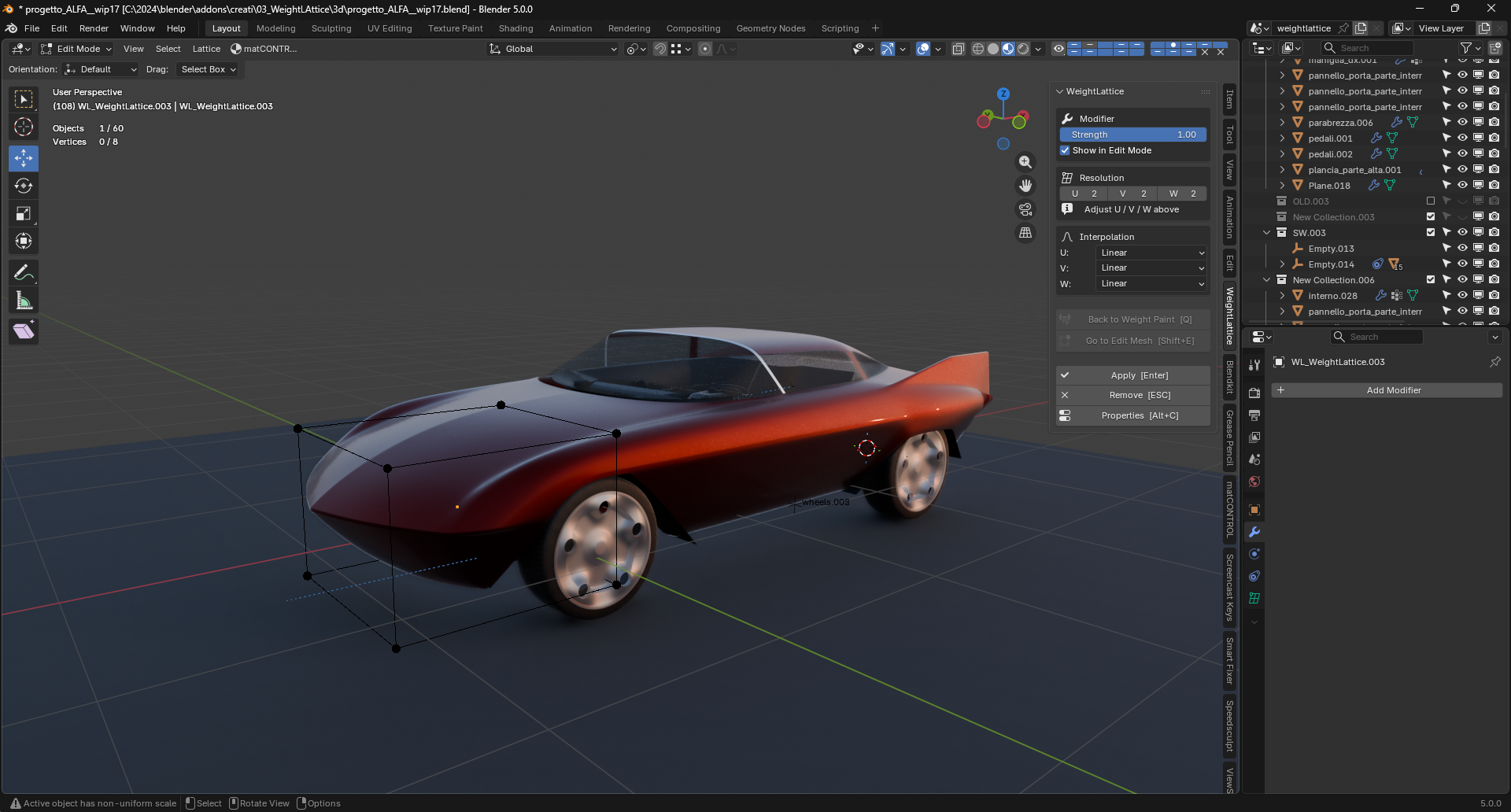
3. Press Enter — the cage appears
A lattice cage is generated around the weighted region, already linked to the mesh through a Lattice modifier, and Blender switches to Edit Lattice.
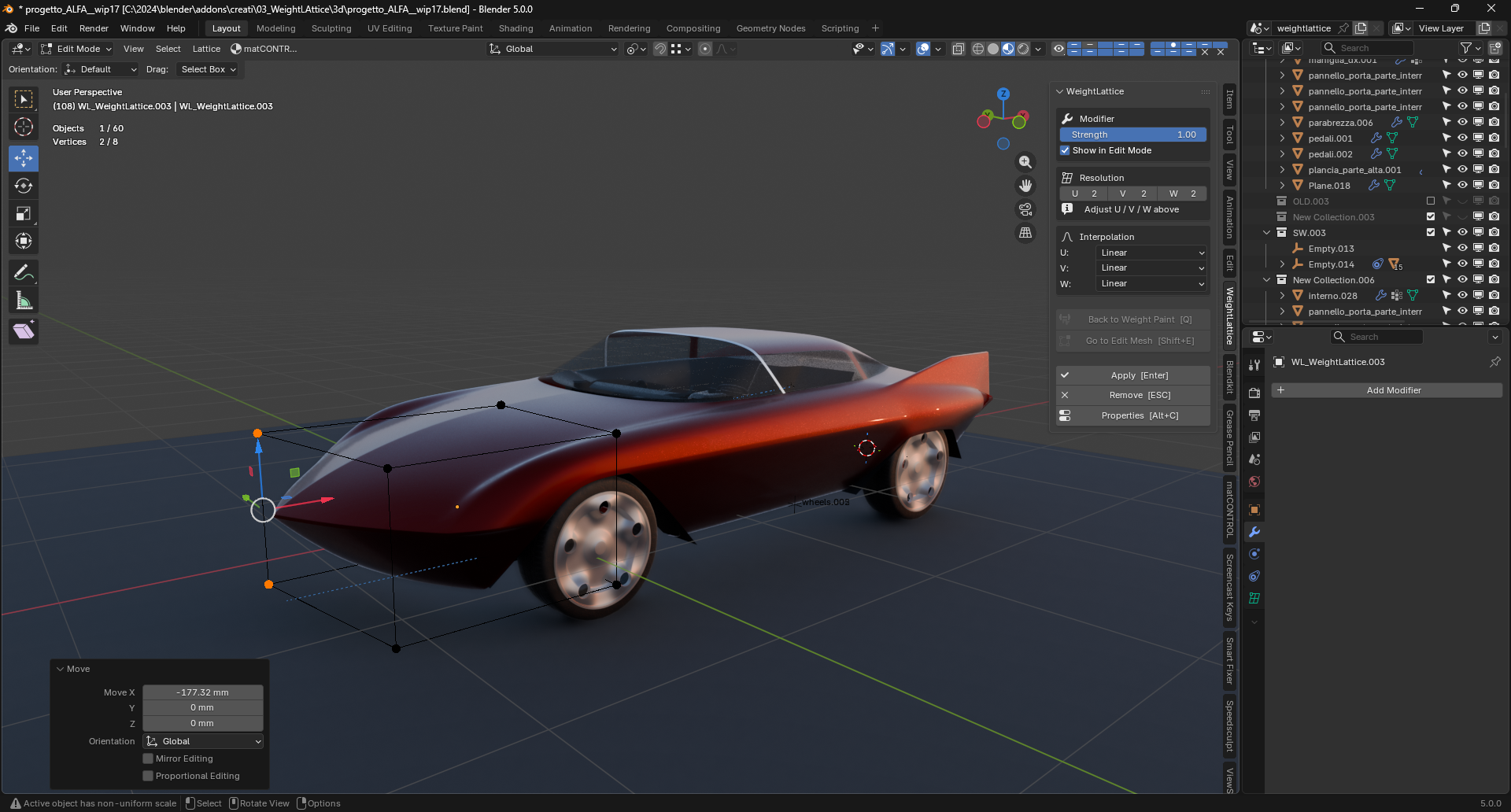
4. Reshape the cage
Move, rotate or scale the lattice control points. The mesh follows in real time. Adjust the resolution (U/V/W) and interpolation from the N-panel if you need more control points.
5. Press Enter to apply
The deformation is baked into the mesh and the helper objects are cleaned up. Press ESC instead to remove the lattice without applying.
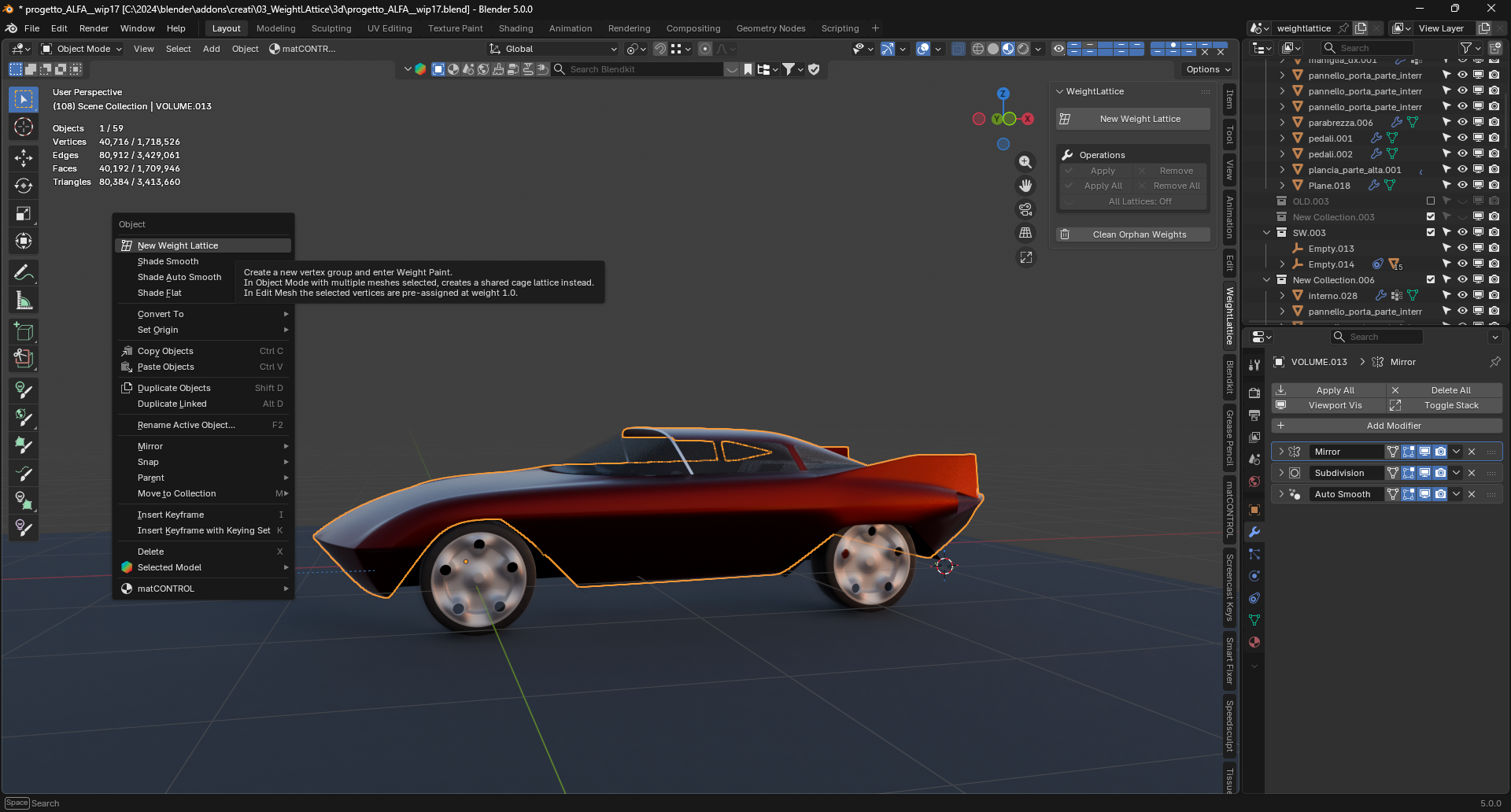
That’s the whole loop: paint, Enter, reshape, Enter.
Next: read the Workflow page for refitting, multi-mesh cages and the Edit Mesh tools.