Preferences
Open Edit > Preferences > Add-ons, find WeightLattice and expand it.
Defaults
Applied to every new lattice:
- Resolution U / V / W
Control points along each axis (default 2 x 2 x 2, up to 16).
- Padding %
Extra space around the vertex group bounding box (default 5%).
- Modifier Strength
Default strength of the Lattice modifier (default 1.0).
- Interpolation
Default lattice interpolation (default Linear).
- Modifier Position
Where the Lattice modifier is inserted in the stack.
- Show in Edit Mode
Whether new lattices display their deformation while editing the mesh.
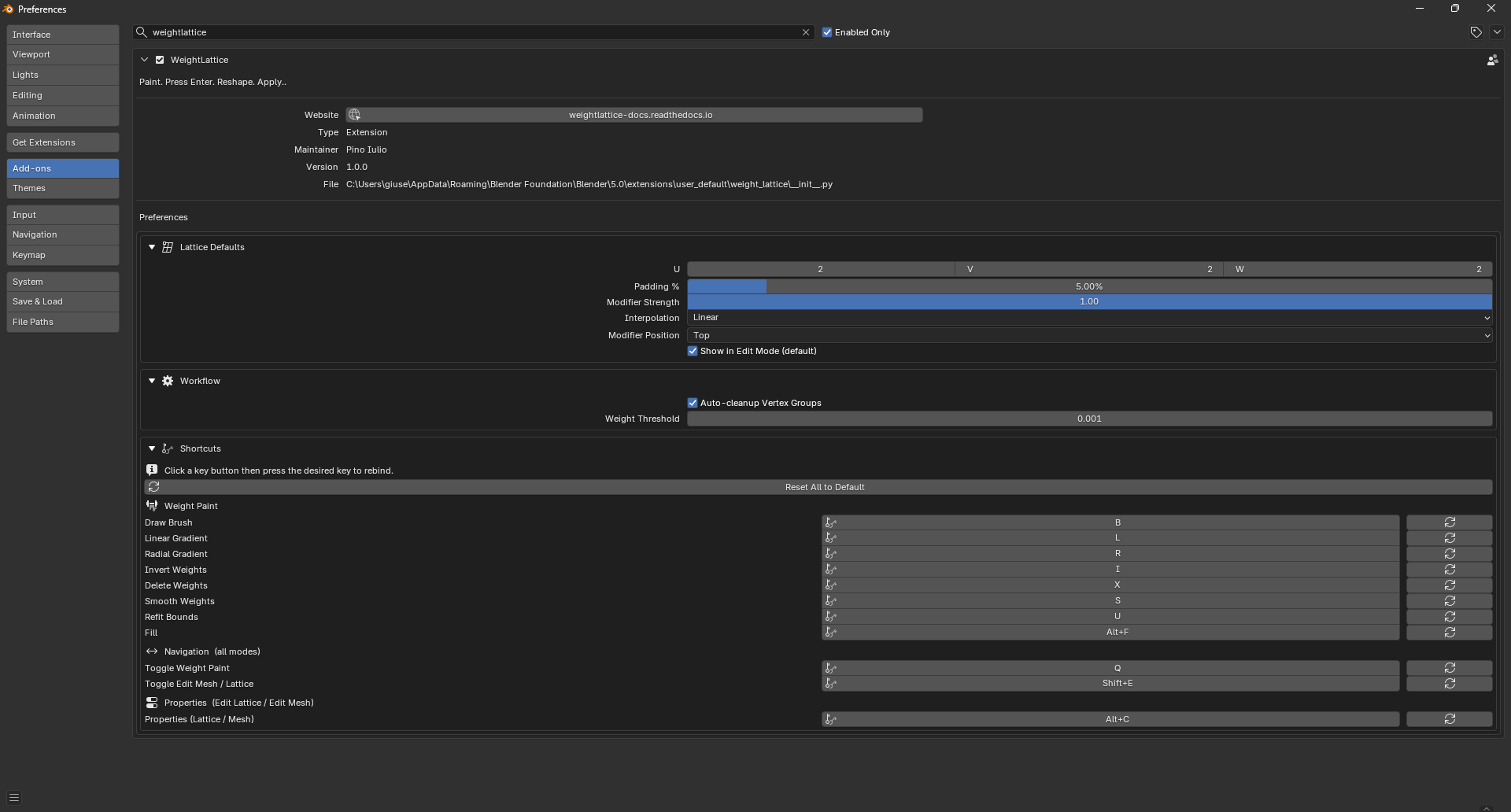
Workflow
- Auto-cleanup Vertex Groups
Remove the WeightLattice vertex group automatically when its lattice is applied or removed.
- Weight Threshold
Minimum weight for a vertex to count as part of the region.
Shortcuts
Every key binding with live capture: click a field, press the new key combination, done. Each row has a reset, plus a global Reset All.