Interface
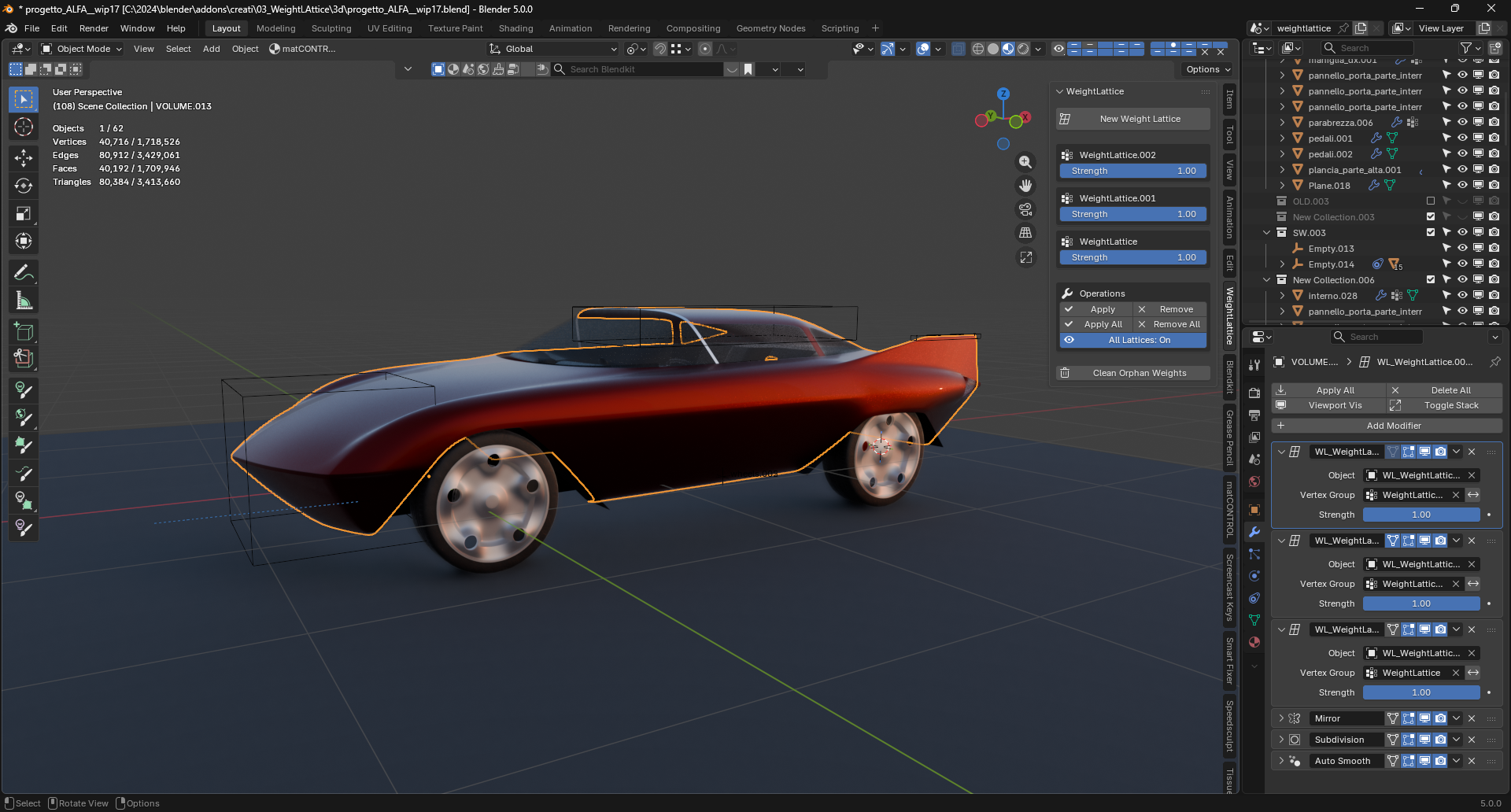
WeightLattice lives in the 3D Viewport sidebar (N > WeightLattice tab). The panel changes with the mode.
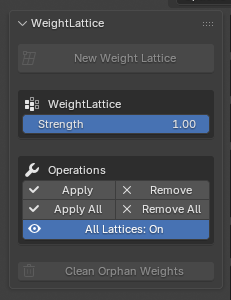
Object Mode panel
Create new lattices and manage existing ones: New Weight Lattice, the list of the mesh’s lattices with per-lattice Strength, Apply / Remove, Apply All / Remove All, the All Lattices On/Off preview toggle and Clean Orphan Weights.
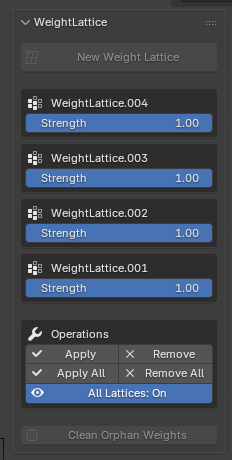
With no lattice on the mesh only New Weight Lattice is active; with several lattices, each one gets its own entry and Strength slider:
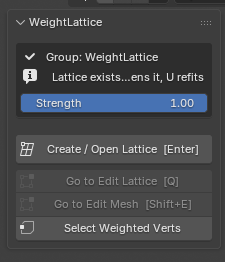
Weight Paint panel
The active group and whether it already has a cage, the Strength slider, Create / Open Lattice [Enter], navigation buttons and Select Weighted Verts.
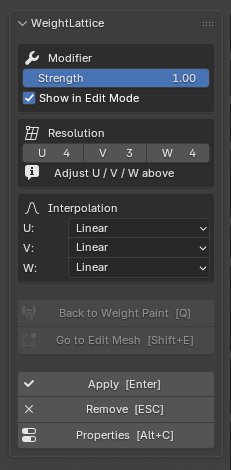
Edit Lattice panel
Modifier Strength and Show in Edit Mode, lattice Resolution (U/V/W), Interpolation, navigation, Apply [Enter], Remove [ESC] and Properties [Alt+C].
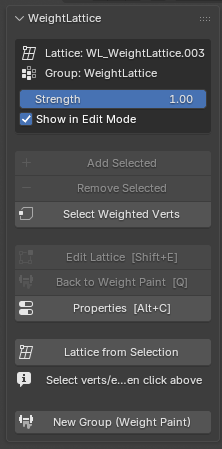
Edit Mesh panel
Active lattice and group info, Add / Remove Selected, Select Weighted Verts, navigation, and Lattice from Selection to build a cage straight from the mesh selection.
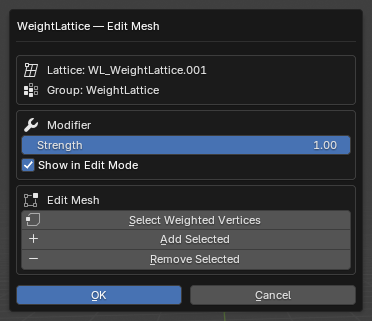
The Alt+C popup groups the same controls in a floating dialog, handy when the sidebar is closed:
Right-click menus
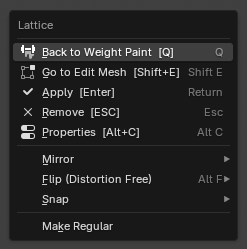
The most-used actions are also in the context menus: New Weight Lattice in Object Mode; Add/Remove/Select and WeightLattice from Selection in Edit Mesh; Apply/Remove/Properties in Edit Lattice.
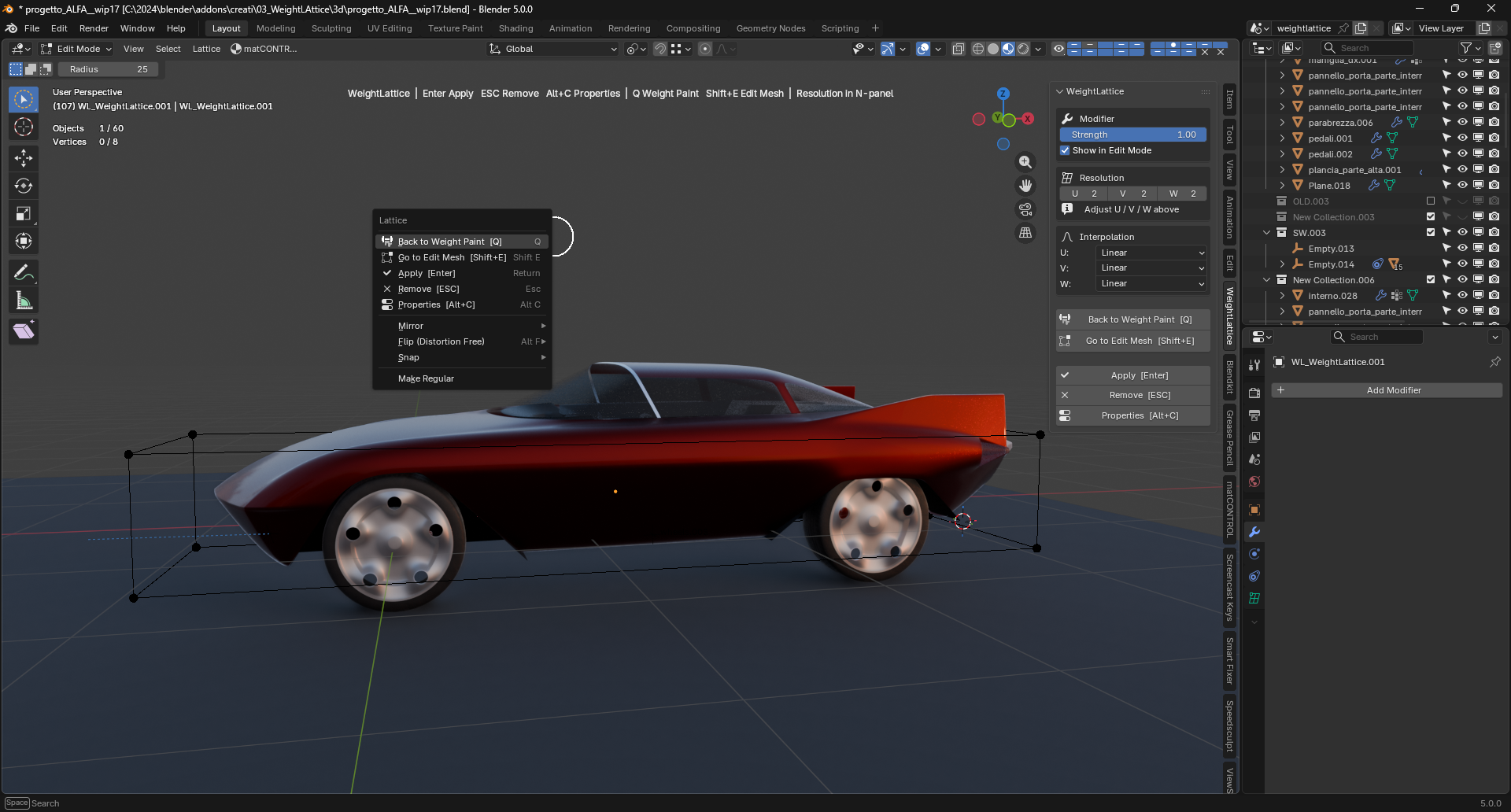
Status line
While a session is active, a one-line reminder of the available keys is drawn at the top of the viewport — one per mode:


